
The plugin is based on the famous leaflet.js library which also powers maps on sites like Facebook, Craigslist and Wikipedia.
We use this library as the basis for our plugin and have integrated several other leaflet plugins for enhancing its functionality.
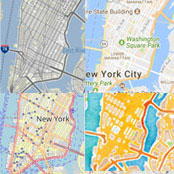
Use Open Street Map out-of-the-box or Bing, HERE, TomTom or Google Maps as opt-in solutions. And easily build custom maps.

No API key registration needed – start right out of the box with LocationIQ as default keyless geocoding provider.
Other geocoding providers can be chosen on demand.
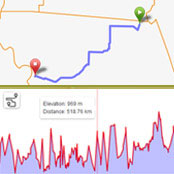
Sometimes it’s all about the journey: Display routes with optional metadata like distance, duration, pace or elevation.
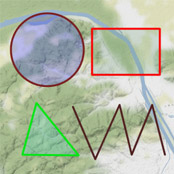
Draw directly on the map: use geometry layers like polylines, polygons, circles and rectangles.
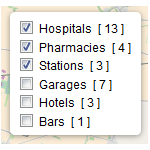
Allow visitors to pick what they want to see by filtering markers on their frontend map.
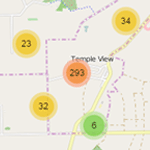
Tidy maps, minimal loading time: Create animated marker clusters for each map.

Creating multilingual maps has never been easier, thanks to full support for the WPML translation and Polylang plugin.
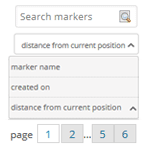
Sort markers by date, name and distance to current position and search or browse through all markers.
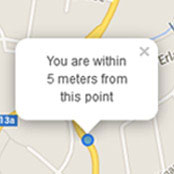
And yet it moves: Show your current location and movements on the map in real time.

From .csv to .geosjson: Bulk options outside of WordPress ensure a smooth transition.

Want to go even further? Build custom apps or integrate third-party- services with our fully featured APIs.
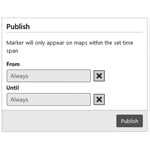
You can even build event maps by choosing the time set in which markers should appear on a map.
Easily share your markers via popular social media services.
We deliver the best mapping plugin for WordPress, helping you to share your favorite spots and tracks. And we love what we do – especially if it involves getting in touch with our users.
“To improve is to change. To perfect is to change often.” Winston Churchill may have not been right in everything, but this quote of his is one we take to heart. Catch up with all updates in our blog.
It’s pretty self explanatory, but that’s no reason not to document it. We provide the famous 5 minute installation instructions.
Browse our extensive FAQ and documentation, or file a support ticket for help if you get stuck, and we’ll get back to you right away.
Help us to make Maps Marker Pro better! You can earn on the way money and license keys!
Bye bye, language barriers: 46 translations and counting, thanks to over 100 translators around the world. You can contribute on our translation platform and earn a license key in return.
Our program is free to join, it’s easy to sign-up and requires no technical knowledge. It offer website owners an additional way to profit from their websites. Affiliates generate traffic and sales for commercial websites and in return receive a commission payment. Check it out!
If you’re a developer and/ or marketing agency, you can become a reseller and offer our service to your clients as a product of your own at a 20% discount. As a Maps Marker Pro reseller, you have full control over your customer’s orders, the pricing and the billing process. We will deliver the product, everything else is managed by you.